
Case study:
Access Approving Authority
Compliance training often fails at the point where it matters most: decision-making in real-world situations.
The Access Approving Authority training was designed for university staff responsible for granting access to secure campus spaces, a role with direct implications for safety, cost, and accountability.
I led the design of a course that translated policy, risk, and procedural knowledge into practical decision-making tools, using scenarios, visual systems, and scaffolded learning to support accurate judgment in high-stakes contexts.
This case study shows how I approached the problem, structured the learning experience, and designed for real-world application.
The Problem
- Users are not “learners”; they are busy staff making decisions.
- Errors have real consequences (security, cost, compliance).
- Traditional training is passive, forgettable, and not actionable.
Design Approach
Decision-first design
- Built around what users need to decide, not what they need to know
- Scenarios simulate real approval situations
- Focus on judgment, not recall
Scaffolded learning for complexity
- Layered content from foundational → applied
- Reduced cognitive overload
- Allowed users to enter at different levels of familiarity
Visual systems for clarity
- Infographics (Principle of Least Privilege)
- Clear visual hierarchy
- Reduced reliance on dense text
Key Interaction
One of the core interactions required learners to evaluate access requests based on role, location, and level of risk. Instead of selecting a correct answer, learners worked through layered scenarios that mirrored real approval decisions, reinforcing the principle of least privilege in context.
Impact
- Streamlined decision-making
- clarified access approval
- ensured ADA compliance
- created a reusable training model.
artifacts

Course Card: Access Approving Authority Training
This course card was created in Adobe Illustrator and is used on the Canvas Catalog course dashboard. The design aligns with the platform’s aesthetic and functionality, representing the course’s identity while ensuring accessibility and clarity. It demonstrates my focus on user-centered educational tools that enhance the learning experience.
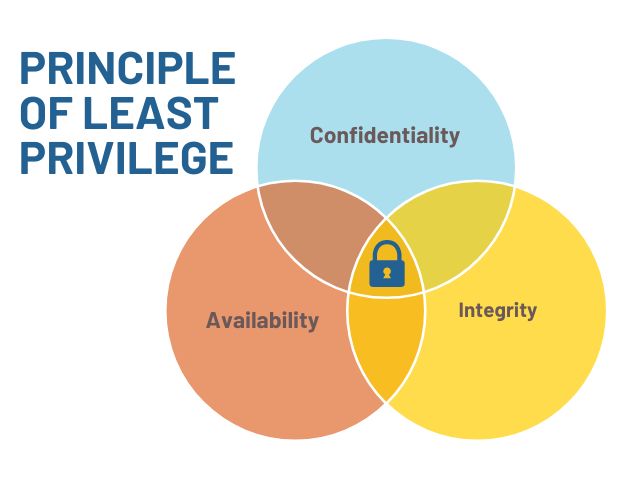
InfoGraphic: Principle of Least Privilege
This infographic was designed in Canva to communicate a central principle of the training program, using UAF brand colors for consistency. The graphic distills information into a clear format, ensuring that all learners can understand the material. It demonstrates my ability to integrate design with instructional intent.

GIF: Lock Cylinder Changing Demo
This GIF video demonstrates the process of changing a lock cylinder and is included in the course to provide a practical example. The animation is clear and straightforward, supporting the course’s goal of making technical skills accessible. It reflects my use of multimedia to enhance instructional content.
video: Introduction to AAA project
This video was created and edited using After Effects and WeVideo, serves as an introduction to the Access Approving Authority Project. This video involved storyboarding, scripting, and producing a narrative to guide viewers through the project’s objectives. The VoiceOver was designed using PlayHT’s AI voiceover software. The video informs stakeholders about the need for the new system and illustrates my proficiency in communicating complex information through various media.
Video: Costs & Impacts
The “Costs & Impacts” video explains the financial and operational impacts of a lost key scenario under the old and new systems. My role included storyboarding, scripting, coordinating field shoots, creating the VoiceOver, and producing the final video using PowerPoint animations, After Effects, and WeVideo. This project represents my ability to manage multimedia productions from concept to completion.

